
Event Registration Forms
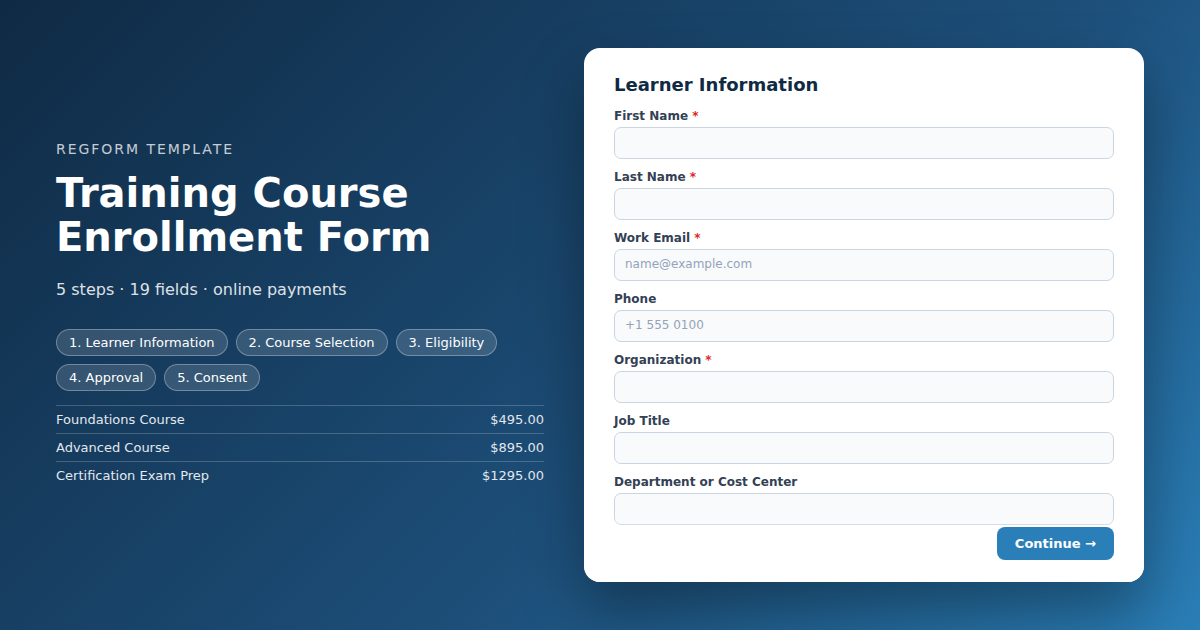
Training Course Enrollment Form
For courses with real constraints. Course and date selection with seat limits, prerequisite checks, manager approval before payment, purchase order billing, and a waitlist when a date fills.
Overview
Training enrollment looks like event registration until you hit the parts that are not optional: someone has to approve the spend, the learner may need to qualify for the course, seats are genuinely limited, and the enrollment record has to survive long enough to attach a completion certificate to it.
What this form handles
Course and date selection with real seat limits, a prerequisite check at the point of enrollment, a manager approval step that holds the seat before payment is taken, and purchase order billing, which is how most corporate training is actually bought.
The approval step is the one most often skipped and most often regretted. Charging a card before the manager has signed off means refunding seats later and explaining the charge to someone in finance who never saw it coming.
Who it is for
Corporate learning and development teams, association education departments running certification programs, professional training providers, and anyone whose courses have prerequisites, limited seats, or an approval chain.
How to adapt it
If your courses are free, open to anyone, and uncapped, most of this is overhead and the basic event registration form will serve you better. Keep the manager approval and purchase order fields only if the money actually flows that way, since each one adds friction the learner feels.
Form field list
Learner Information
| Field | Type | Required | Notes |
|---|---|---|---|
| First Name | text |
Required | — |
| Last Name | text |
Required | — |
| Work Email | email |
Required | — |
| Phone | phone |
Optional | — |
| Organization | text |
Required | — |
| Job Title | text |
Optional | — |
| Department or Cost Center | text |
Optional | — |
| Employee or Member ID | text |
Optional | — |
Course Selection
| Field | Type | Required | Notes |
|---|---|---|---|
| Course | item_select |
Required | — |
| Course Date and Session | dropdown |
Required | — |
| Delivery Format | radio |
Optional | — |
Eligibility
| Field | Type | Required | Notes |
|---|---|---|---|
| Prerequisite Course or Certification Held | dropdown |
Optional | — |
| Certification or License Number | text |
Optional | — |
| Years of Experience in This Area | dropdown |
Optional | — |
| Accommodations or Learning Support Needed | textarea |
Optional | — |
Approval
| Field | Type | Required | Notes |
|---|---|---|---|
| Approving Manager Name | text |
Required | — |
| Approving Manager Email | email |
Required | — |
| Dietary Restrictions | checkbox |
Optional | — |
Consent
| Field | Type | Required | Notes |
|---|---|---|---|
| Cancellation and No Show Policy | legal |
Required | — |
How it's built in Regform
Setup checklist
- Load courses with dates and seats. Each course and date combination is its own option with its own capacity. When a date fills it closes on its own and the learner picks another rather than being told after the fact.
- Set the prerequisite logic. If a course requires a prior certification or a minimum role level, ask for it and block the submission when it is missing. Catching it at registration is far cheaper than discovering it on day one of the class.
- Route approvals before payment. Send the submission to the named manager and hold it in a pending state. Only charge or confirm the seat once approval comes back, otherwise you will be refunding seats that finance never authorized.
- Set the approval timeout. Decide what happens if a manager does not respond in five business days. Either release the seat or escalate, but pick one, because silent pending registrations hold seats you could have sold.
- Support purchase order billing. Most corporate training is bought on a purchase order, not a card. Capture the cost center or purchase order number and route those to an invoice status.
- Add the waitlist. When a date is full, offer the waitlist rather than a dead end. Waitlist demand is the clearest signal you have about which course to schedule again.
- Plan the completion record. Decide up front how attendance and certificates are tracked, because the enrollment record is where that data starts. Retrofitting a certificate process onto a registration list is avoidable work.
Before you publish
Run an enrollment through the whole path: submit, approve, pay, confirm. Then submit one that fails the prerequisite and one that hits a full date, and check that both produce a useful message rather than an error. Confirm the manager approval email is readable on a phone, since that is where it will be actioned.
Frequently asked questions
How do I add manager approval?
Collect the manager name and email on the form, then route the submission to them for approval and hold the enrollment in a pending state. Confirm the seat and take payment only after the approval comes back. Set a timeout so unanswered requests release the seat instead of holding it indefinitely, because a pending enrollment nobody chases is a seat you could have sold to someone else.
Can I require a prerequisite?
Ask for the prerequisite directly, whether that is a prior course, a certification number, or a role level, and use conditional logic to block or flag enrollments that do not meet it. Catching this at registration is far cheaper than discovering it on the first morning of the class, when you have an unqualified learner in a seat and an instructor pitching material over their head.
How do I handle multiple course dates?
Make each course and date combination its own option with its own seat count, and filter the date list by the course the learner picked. A full date closes itself while every other date stays open, so the learner chooses another rather than being turned away after they have already filled out the form and found a manager to approve it.
Can learners pay by purchase order?
Yes, and for corporate training you should expect it to be the default rather than the exception. Offer purchase order as a payment method, capture the purchase order or cost center number, and route those enrollments to an invoice status for your finance team. Trying to force card payment on organizations that buy training through procurement will cost you enrollments.
What should happen when a course is full?
Offer the waitlist instead of closing the page. Collect the same contact details and notify people in order as seats open up, which happens more often than you would think once cancellations start. Waitlist volume is also the best data you have for deciding which course to run again and how soon, so it is worth capturing even when you never end up releasing a seat.
How do I enroll a whole team at once?
Use the group registration form instead. A manager enrolling eight people needs repeating attendee blocks and a single invoice, which is a different form shape than one learner enrolling themselves with their own approval chain. Trying to stretch this template to cover both produces a confusing form that serves neither case well, and a roster you cannot export cleanly.
Can I track completion and certificates from this form?
Start it here. Capture the employee or member identifier you use for records at the point of enrollment, so attendance marks and certificates attach to the same person later without anyone matching names by hand across two systems. Retrofitting a completion process onto a registration list that only has names and email addresses is avoidable work, and the matching is never as clean as you hope.
Browse related categories
Form type: Event Registration Forms
Use cases: Attendee Registration Training and Course Enrollment
Capabilities: Approval Workflow Capacity Limits Conditional Logic Confirmation Email Payment Collection
Ready to launch your training course enrollment form?
Tell us about your event and we'll set this template up with you — fields, logic, payments, and all.
- Multi-step forms & conditional logic
- Built-in checkout, payments & invoicing
- Event registration, reporting & team roles
Use This Template
We'll reach out and get you building.
Download template (JSON)Import the file with the builder's Import button in your own account.
Already have an account? Sign in