
Event Registration Forms
Membership Application and Renewal Form
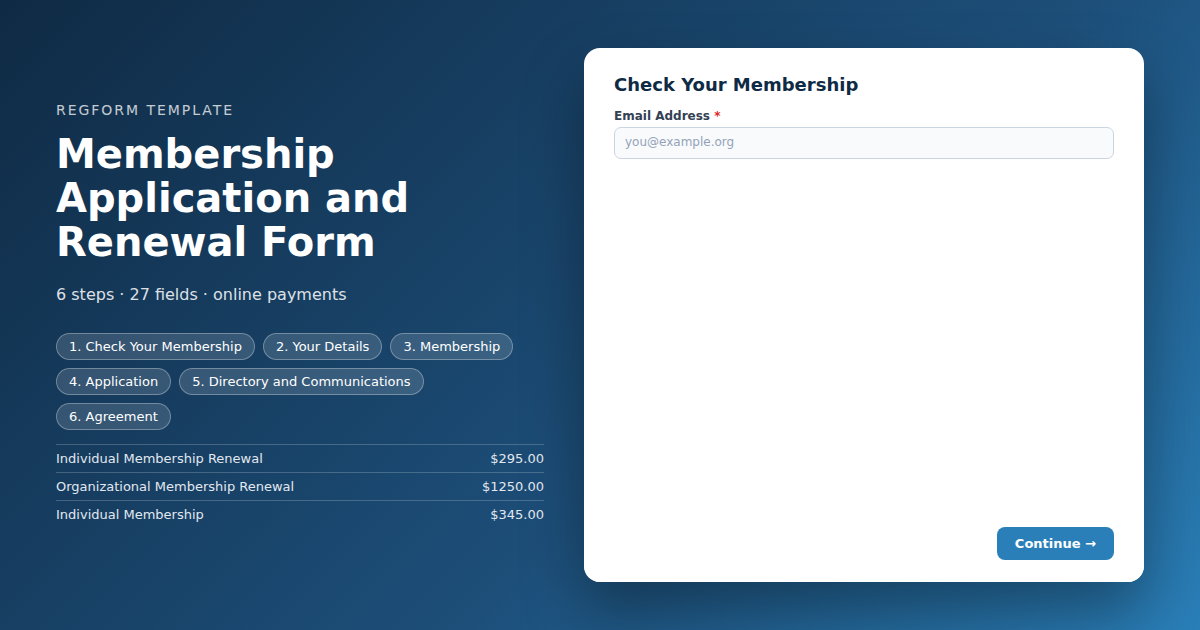
Recognizes a current member from their email address, shows them the renewal rate and skips the application questions, while new applicants get the join rates and the full set.
Overview
Most membership forms make everybody fill in everything, then sort it out afterwards. A fifteen year member renewing for the sixteenth time answers the same questions as somebody who has never heard of you, picks their own rate from a list that includes rates they are not entitled to, and the staff reconcile it by hand in the week after the renewal cycle closes.
What this form does differently
It recognizes the person before it asks them anything. The form checks the email address against a list of current members that it carries internally, and the rest of the form reshapes around the answer. Members see the renewal rate and skip the application questions. New applicants see the join rates and get the full set, including sponsorship and credentials.
That recognition runs in the browser, which makes it a convenience rather than a control. It is very good at saving a real member from unnecessary work, and it is not a substitute for checking paid orders against your roster before activating anything.
Who it is for
Professional associations, trade bodies, learned societies and any membership organization with more than one dues tier and an annual renewal cycle. It fits organizations that already maintain a member roster they can export.
How to adapt it
The member list and the dues tiers are the two things that need real data. Everything else is assembly. If your join and renewal rates are identical, keep the recognition anyway and delete the duplicate items, because the shortened form is worth more to a renewing member than the price difference is.
Form field list
Check Your Membership
| Field | Type | Required | Notes |
|---|---|---|---|
| text_block | text_block |
Optional | — |
| Email Address | email |
Required | — |
| text_block | text_block |
Optional | — |
| text_block | text_block |
Optional | — |
Your Details
| Field | Type | Required | Notes |
|---|---|---|---|
| First Name | text |
Required | — |
| Last Name | text |
Required | — |
| Preferred Name | text |
Optional | — |
| Credentials or Post Nominals | text |
Optional | — |
| Job Title | text |
Optional | — |
| Organization | text |
Required | — |
| Phone | phone |
Optional | — |
| Mailing Address | address |
Optional | — |
Membership
| Field | Type | Required | Notes |
|---|---|---|---|
| Membership Type | item_select |
Required | — |
| Chapter | dropdown |
Optional | — |
| Special Interest Groups | checkbox |
Optional | — |
| Years in the Profession | dropdown |
Optional | — |
Application
| Field | Type | Required | Notes |
|---|---|---|---|
| text_block | text_block |
Optional | — |
| Employer Type | dropdown |
Optional | — |
| Sponsoring Member | text |
Optional | — |
| How Did You Hear About Us | dropdown |
Optional | — |
| What Are You Hoping to Get from Membership | textarea |
Optional | — |
Directory and Communications
| Field | Type | Required | Notes |
|---|---|---|---|
| List me in the member directory | checkbox |
Optional | — |
| Directory Biography | textarea |
Optional | — |
| Send Me | checkbox |
Optional | — |
| I am interested in serving on a committee or volunteering | checkbox |
Optional | — |
Agreement
| Field | Type | Required | Notes |
|---|---|---|---|
| Bylaws and Code of Conduct | legal |
Required | — |
| Remind me to renew automatically next year | checkbox |
Optional | — |
How it's built in Regform
Setup checklist
- Load your member list into the data store. The template ships with a placeholder list of email addresses under the key
current_members. Replace those with your real roster. The list travels inside the form, so it works the moment you import rather than depending on anything configured elsewhere. - Keep the list current. A stale roster shows the join rate to people who already paid, which generates the angriest support email an association receives. Decide who updates it and how often before you launch.
- Set your dues. Renewal and new join rates are separate cart items so they can differ. If your rates are identical, delete the renewal items and let the recognition drive only the shortened form rather than pricing.
- Verify before you honour a member rate. The recognition runs in the browser, so treat it as a convenience rather than a control. Check paid orders against your roster before activating memberships, the same way you would reconcile a member registration at a conference.
- Decide what the application step asks. New applicants get a step that renewing members skip entirely. Sponsorship by an existing member, credentials and employer type are the usual questions. Cut any you will not actually read during review.
- Turn on invoice billing if organizations join. Organizational memberships are almost always bought on a purchase order by somebody in finance who is not the member.
Before you publish
Submit once with an email that is on the list and once with an email that is not. Confirm the first sees the renewal rate and skips the application step, and the second sees the join rates and is asked the full set of questions. Then remove your test addresses from the roster.
Frequently asked questions
How does the form know whether somebody is already a member?
The form checks the email address against a list of current members that travels inside the template itself. If the address is on the list the person is treated as renewing, sees the renewal rate and skips the application questions. If it is not, they see the join rates and are asked the full set. No lookup service or integration is needed.
Where does the member list come from?
Replace the placeholder addresses in the data store with your real roster after importing. The list lives in the form, which means it works immediately but also means it goes stale unless somebody maintains it. Decide who owns that before launch, because a stale roster shows the join rate to people who have already paid.
Can somebody claim the member rate without being a member?
Treat it as a convenience, not a control. The recognition runs in the visitor's browser, so it is excellent at saving a genuine member from filling in a form they should not have to, but it is not a security boundary. Check paid orders against your roster before activating memberships, exactly as you would reconcile member rates at a conference.
How are renewal and new member rates handled?
Renewal and new join rates are separate cart items, so they can be priced independently and the wrong one is hidden from each visitor. If your association charges the same either way, delete the renewal items and let the member recognition drive only the shortened form. The mechanism works the same with or without a price difference.
What happens to the application questions for a renewal?
Renewing members skip it entirely. Questions like sponsorship by an existing member, credentials and employer type only make sense for somebody joining, and asking them of a fifteen year member is the fastest way to make a renewal feel like paperwork. The step is skipped at navigation rather than hidden field by field.
Does this handle organizational or corporate memberships?
Yes. Organizational memberships are a separate tier with their own price, and invoice billing is enabled because those are usually bought through procurement rather than on a card. Collect the primary contact here and handle additional seats or named representatives as a follow up, since those rosters change independently of the membership itself.
Can I discount the price directly instead of showing a different item?
Not from the member recognition. The check works in the browser but is not supported by the server side pricing evaluator, so it can show and hide a rate but must never be the thing that sets a price. That is why member and non member dues are separate items rather than one item repriced by a rule, and it is a constraint worth knowing before you modify the logic.
Browse related categories
Form type: Event Registration Forms
Use cases: Membership and Renewals
Capabilities: Conditional Logic Confirmation Email Payment Collection Invoice and Purchase Orders Member Validation
Ready to launch your membership application and renewal form?
Tell us about your event and we'll set this template up with you — fields, logic, payments, and all.
- Multi-step forms & conditional logic
- Built-in checkout, payments & invoicing
- Event registration, reporting & team roles
Use This Template
We'll reach out and get you building.
Download template (JSON)Import the file with the builder's Import button in your own account.
Already have an account? Sign in