
Event Registration Forms
Conference Registration Form
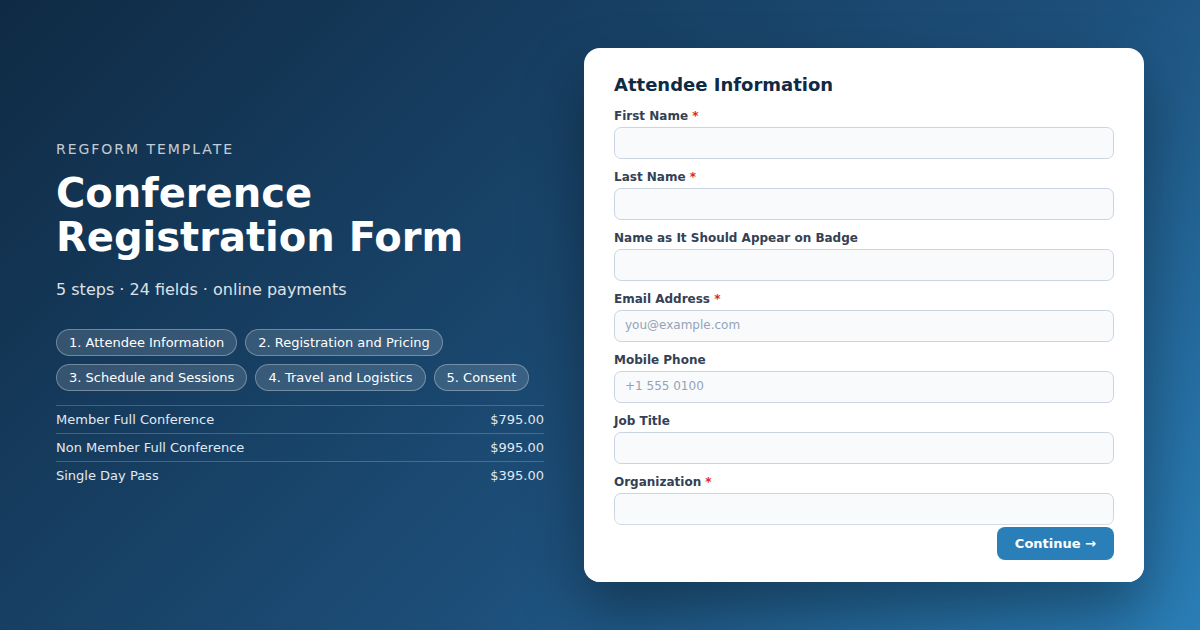
Built for multi day programs with concurrent sessions. Handles tiered and early bird pricing, session capacity, ticketed add ons, badge details, and invoice or purchase order billing.
Overview
A conference asks more of its registration form than a single session event does. There are several rates, they change on a date, attendees pick their own schedule from a program that has limited room capacity, some of them pay by invoice, and every record has to be clean enough to print a badge from. This template is built for that.
What makes it different from a basic registration form
Three things. Pricing is tiered and time sensitive, so the rate an attendee sees depends on both who they are and when they register. Sessions are selectable and capped, so the form has to stop selling a workshop that is full. And billing is often separate from the attendee, because the person coming to the conference is rarely the person who approves the expense.
Who it is for
Association meeting planners, corporate event teams running an annual user conference or summit, and anyone managing a multi day program with concurrent sessions. If your event runs one track for one day, the basic event registration form will be faster to set up and easier for attendees to complete.
How to adapt it
The rate table and the session list are the two pieces that need real thought. Everything else is standard contact collection. Build those two correctly and the rest of the form is assembly. One caution on length: this template is thorough, not short. Every field you add past the payment step costs you completions, so cut the travel and logistics section entirely if your event does not need it.
Form field list
Attendee Information
| Field | Type | Required | Notes |
|---|---|---|---|
| First Name | text |
Required | — |
| Last Name | text |
Required | — |
| Name as It Should Appear on Badge | text |
Optional | — |
| Email Address | email |
Required | — |
| Mobile Phone | phone |
Optional | — |
| Job Title | text |
Optional | — |
| Organization | text |
Required | — |
Registration and Pricing
| Field | Type | Required | Notes |
|---|---|---|---|
| Registration Type | item_select |
Required | — |
| Member ID | text |
Optional | — |
| Days Attending | checkbox |
Optional | — |
| Promo or Group Code | text |
Optional | — |
Schedule and Sessions
| Field | Type | Required | Notes |
|---|---|---|---|
| Breakout Sessions | checkbox |
Optional | — |
| Track Preference | dropdown |
Optional | — |
| Preconference Workshop | dropdown |
Optional | — |
| Ticketed Events | checkbox |
Optional | — |
Travel and Logistics
| Field | Type | Required | Notes |
|---|---|---|---|
| Hotel or Housing Block | dropdown |
Optional | — |
| Arrival Date | date |
Optional | — |
| Departure Date | date |
Optional | — |
| Dietary Restrictions | checkbox |
Optional | — |
| Accessibility Requests | textarea |
Optional | — |
| Emergency Contact Name and Phone | text |
Optional | — |
Consent
| Field | Type | Required | Notes |
|---|---|---|---|
| I consent to photography and video at this event | checkbox |
Optional | — |
| Terms, Refund and Substitution Policy | legal |
Required | — |
| Share my contact details with sponsors and exhibitors | checkbox |
Optional | — |
How it's built in Regform
Setup checklist
- Build the rate table before you build the form. Write out every combination of registration type and date window, member full conference, non member day pass, student, speaker, staff, and so on. Decide each price and each cutoff date. Doing this in a spreadsheet first prevents the pricing logic from getting rebuilt three times.
- Set the early bird cutoffs. Attach a date to each rate so pricing rolls over on its own at midnight. Manual rate changes get forgotten, and honoring an expired early bird rate because the form did not flip is an avoidable refund conversation.
- Load sessions with real capacity numbers. Set the room capacity on each session so a full workshop closes itself. Turn on conflict checking so an attendee cannot pick two things in the same time slot.
- Gate optional paid items. Show the preconference workshop, the awards dinner, and the golf outing only to registration types that are allowed to buy them, and price each one separately from the base rate.
- Split the badge fields out. Badge name is not always legal name, and organization on the badge is not always the billing entity. Collect both if you print badges, because reconciling them the week of the event is painful at scale.
- Decide how invoices work. Association and corporate registrants frequently need a purchase order and an invoice rather than a card. Route those to an invoice status instead of a paid status so your finance export stays honest.
- Plan the substitution rule now. For multi day conferences, someone will ask to send a colleague in their place. Decide the cutoff and the fee, state both next to the terms checkbox, and put them in the confirmation email.
Before you publish
Register as each type with a test card, including one early bird and one standard rate, and confirm the totals match your rate table. Fill a session to its cap and verify it closes. Then export the registrations and check that the file has everything your badge printer and your check in system need, with no manual cleanup.
Frequently asked questions
How do I set up early bird pricing?
Attach a cutoff date to each rate on the registration type field. The form charges the early rate until the date passes and the standard rate after it, with no action from you. Build the rollover in before registration opens rather than trying to change prices while the form is live.
How do I stop a workshop from being oversubscribed?
Give each session its own capacity. When a workshop reaches its cap it stops accepting selections while the rest of the form keeps working, so one full room does not block registration for the whole conference. Turn on time conflict checking as well so nobody signs up for two things at once.
Can I sell preconference workshops and ticketed dinners?
Price them as separate paid options rather than folding them into the base rate. That keeps the headline registration price clean in your marketing, gives you a real revenue number per add on when you plan next year, and lets you cap each one independently. It also means a sold out golf outing does not affect anything else on the form.
We have registrants who pay by invoice. Does that work?
Yes. Offer invoice or purchase order as a payment method and capture the billing contact, the purchase order number, and the billing address. Route those submissions to an unpaid or pending status so your finance team can reconcile them, and set a payment deadline that sits before the event.
How do I verify that someone is actually a member?
Verify with a member code or by checking the registration against your member list after submission. A code field shown only to the member tier handles most of it. For associations where the price gap is large enough to tempt people, review the member registrations against your database before badges print.
What do I need to collect for badge printing?
Collect badge name separately from legal first and last name, and collect the organization exactly as it should appear. Export both along with registration type so your badge stock and access levels line up. If you print onsite, send registrations into your check in system directly rather than importing a file the night before.
Can registrants transfer their spot to a colleague?
Set your substitution and refund deadlines before the form goes live and state them at the point of purchase, next to the terms checkbox. Substitutions are usually easier to allow than refunds, since the seat is still sold and the catering count does not move. Charge a small transfer fee if the administrative work is significant, and close substitutions a few days out so badges can print.
Browse related categories
Form type: Event Registration Forms
Use cases: Attendee Registration
Capabilities: Capacity Limits Conditional Logic Confirmation Email Payment Collection Session Selection
Ready to launch your conference registration form?
Tell us about your event and we'll set this template up with you — fields, logic, payments, and all.
- Multi-step forms & conditional logic
- Built-in checkout, payments & invoicing
- Event registration, reporting & team roles
Use This Template
We'll reach out and get you building.
Download template (JSON)Import the file with the builder's Import button in your own account.
Already have an account? Sign in