
Event Survey and Feedback Forms
Session Evaluation Form
One form for every session, with the session prefilled from a QR code. Identical scales for year over year comparison, plus continuing education credit claims and commercial bias reporting.
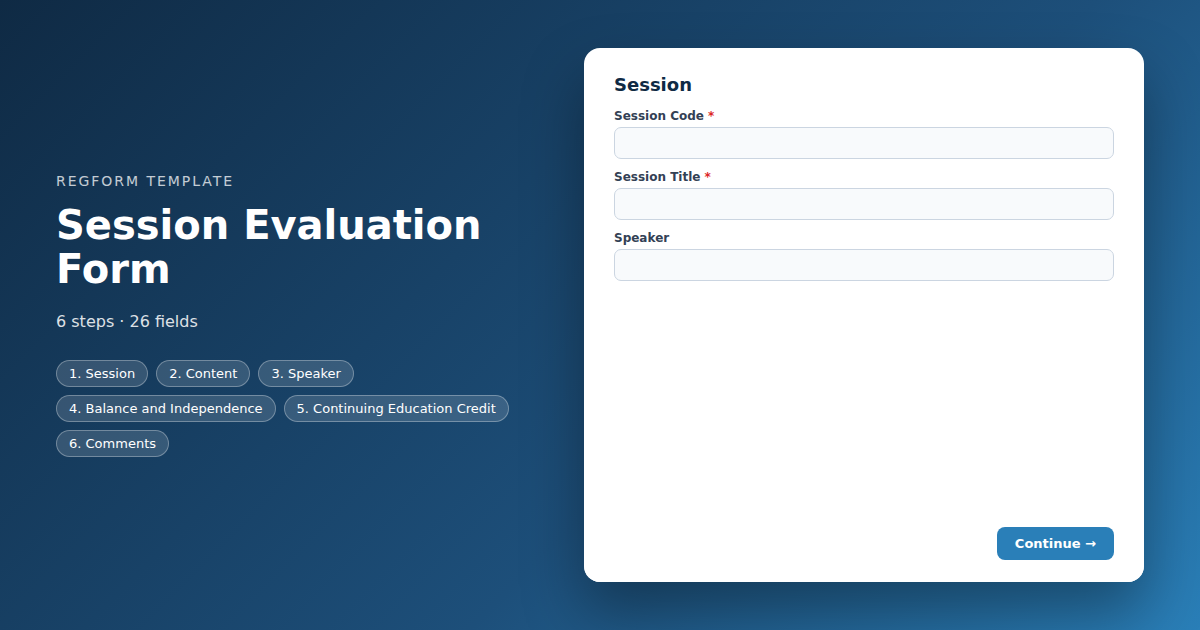
Overview
Session evaluation is where conference feedback becomes actionable. An overall event score tells you the event was fine. Session scores tell you which speakers to invite back, which topics to run again, and which slot was so weak that everybody left and went to the coffee stand.
What this form does
It is one form used for every session, with the session code, title and speaker prefilled from the URL so the attendee confirms rather than types. That is what makes the results aggregable and what stops somebody evaluating the wrong session. The scale stays identical across sessions and across years, which is what makes comparison possible at all.
Two paths appear conditionally. Attendees claiming continuing education credit are asked for a license number, credit type and an attestation of attendance. Anybody reporting commercial bias in a session is asked to describe it, which is a requirement for most accredited programmes and something you want reaching a named person rather than a report nobody reads.
Who it is for
Association education teams, accredited providers in healthcare, legal and financial services, and any conference running concurrent sessions where the programme committee has to choose what returns next year.
How to adapt it
Set your credit types to match your accreditation, and put the QR code on the last slide rather than in a follow up email.
Form field list
Session
| Field | Type | Required | Notes |
|---|---|---|---|
| text_block | text_block |
Optional | — |
| Session Code | text |
Required | — |
| Session Title | text |
Required | — |
| Speaker | text |
Optional | — |
Content
| Field | Type | Required | Notes |
|---|---|---|---|
| Overall, how would you rate this session | linear_scale |
Required | — |
| What specifically fell short | textarea |
Optional | — |
| The session met its stated learning objectives | linear_scale |
Optional | — |
| The content was relevant to my work | linear_scale |
Optional | — |
| The level of the content was | radio |
Optional | — |
| I will apply something from this session in my work | linear_scale |
Optional | — |
Speaker
| Field | Type | Required | Notes |
|---|---|---|---|
| The speaker knew the subject | linear_scale |
Optional | — |
| The speaker presented clearly and held my attention | linear_scale |
Optional | — |
| Questions were handled well | linear_scale |
Optional | — |
| I would attend another session by this speaker | radio |
Optional | — |
Balance and Independence
| Field | Type | Required | Notes |
|---|---|---|---|
| text_block | text_block |
Optional | — |
| Did You Perceive Any Commercial Bias in This Session | radio |
Required | — |
| Describe the Bias You Observed | textarea |
Optional | — |
Continuing Education Credit
| Field | Type | Required | Notes |
|---|---|---|---|
| Are You Claiming Continuing Education Credit | radio |
Required | — |
| Your Full Name | text |
Optional | — |
| Your Email Address | email |
Optional | — |
| Credit Type | dropdown |
Optional | — |
| License or Registration Number | text |
Optional | — |
| I attest that I was present for the full session | checkbox |
Optional | — |
Comments
| Field | Type | Required | Notes |
|---|---|---|---|
| What was most valuable about this session | textarea |
Optional | — |
| What would have made it better | textarea |
Optional | — |
| What related topic would you want next year | text |
Optional | — |
How it's built in Regform
Setup checklist
- Prefill the session identity. Session code, title and speaker should arrive in the URL from your QR code or programme link, not be typed by the attendee. Somebody evaluating the wrong session is worse than somebody evaluating nothing, and a typed session title cannot be aggregated.
- Use one form for every session, not one per session. Prefill is what makes that work. A separate form per session means fifty forms to build and fifty result sets to merge afterwards.
- Keep the scale identical across every session and every year. The entire value of session evaluation is comparison, between concurrent sessions and against last year. Change the scale and you throw away your baseline.
- Set your credit types and hours. Replace the placeholder credit options with the ones your accreditation actually issues, and make the hours match what each session is approved for rather than letting attendees choose freely.
- Leave the commercial bias question in if you are accredited. Most accrediting bodies require you to collect and act on bias reports. A yes answer should reach a named person, not a spreadsheet nobody opens.
- Put the QR code on the slide, not in an email. Evaluation rates collapse once people leave the room. The last slide and the exit door are where you get responses.
Before you publish
Open the form with prefill parameters in the URL and confirm the session identity populates. Submit once claiming credit and once reporting bias, and check both follow ups behave. Then time yourself on a phone, standing up, as somebody leaving a room would.
Frequently asked questions
Do I need a separate form for each session?
One form for every session, with the session code, title and speaker prefilled from the URL. Your QR code or programme link carries the parameters. Building a separate form per session means fifty forms to maintain and fifty result sets to merge afterwards, which is why most organizers give up on session level data entirely.
How do I actually get people to fill it in?
Put the QR code on the final slide and on signage at the exit. Evaluation response rates collapse the moment people leave the room, and an email sent that evening captures a fraction of what the last thirty seconds of the session does. This is the single biggest lever on your response rate.
How does continuing education credit work here?
Claiming credit reveals the license number, credit type and hours, plus an attestation that the attendee was present for the session. Attendees not claiming credit never see any of it. That keeps the form short for the majority while still capturing what your accreditation requires from the people who need it.
Why is there a commercial bias question?
Most accrediting bodies require you to collect bias reports and to act on them. The form asks a plain yes or no and reveals a detail field only for a yes, and a yes answer should route to a named person rather than into a spreadsheet nobody opens until the annual report is due.
Can I change the rating scale?
Keep it identical across every session and every year without exception. The whole point of session evaluation is comparison, between concurrent sessions competing for the same slot next year and against the same session last year. Changing the scale, even improving it, throws away the baseline you were building.
What happens when somebody rates a session badly?
A low overall rating reveals a follow up asking what specifically fell short. Those answers are what let you distinguish a speaker problem from a room problem from a session that was mis-described in the programme, and that distinction is the difference between a useful evaluation programme and a list of averages.
Should I share results with speakers?
Share the scores and the comments, but not anonymously sourced criticism without context. Speakers improve from specific feedback and are demoralized by a raw dump of anonymous comments. Summarize the pattern, quote the constructive comments, and handle anything about conduct privately rather than in a scorecard.
Browse related categories
Form type: Event Survey and Feedback Forms
Use cases: Post Event Feedback
Capabilities: Approval Workflow Conditional Logic Confirmation Email Rating Scales
Ready to launch your session evaluation form?
Tell us about your event and we'll set this template up with you — fields, logic, payments, and all.
- Multi-step forms & conditional logic
- Built-in checkout, payments & invoicing
- Event registration, reporting & team roles
Use This Template
We'll reach out and get you building.
Download template (JSON)Import the file with the builder's Import button in your own account.
Already have an account? Sign in