
Booking and Appointment Forms
Meeting and Appointment Booking Form
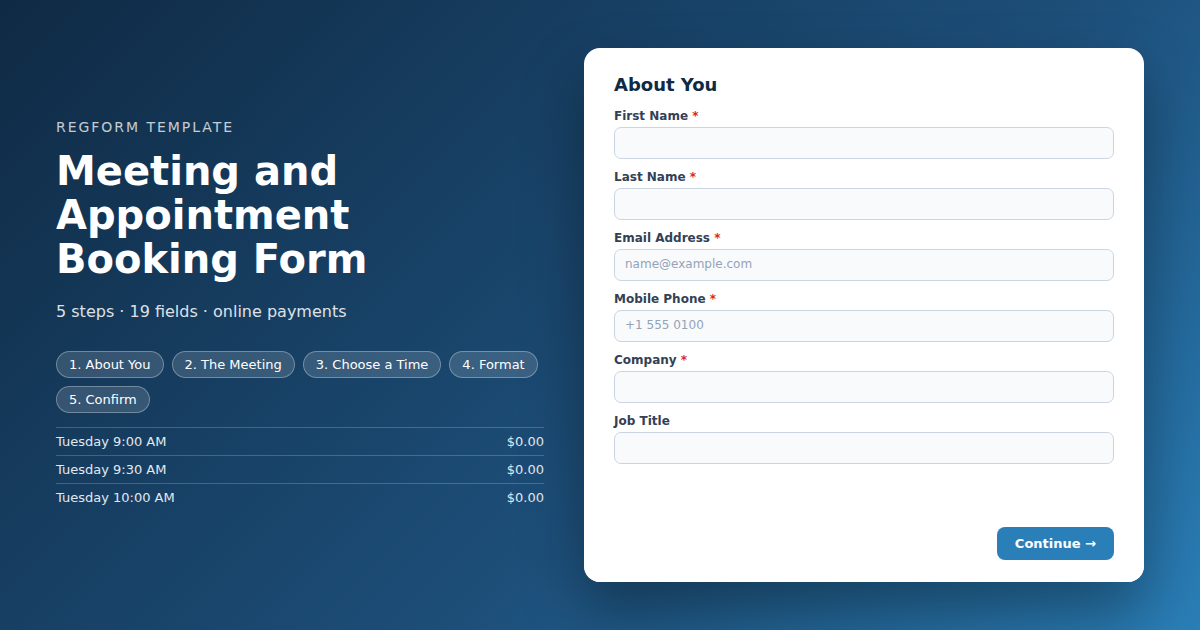
Turns time slots into inventory. Each slot caps at one person and disappears when taken, with meeting type routing, video or in person branching, and a waitlist when the day fills.
Overview
Scheduling meetings at an event usually happens in an email thread that nobody wins. Two people propose times, one of them is already booked, the exchange takes four days, and the meeting ends up in the one slot that suited neither of them. Meanwhile somebody else who wanted that time never asked.
What this form does
It turns time slots into inventory. Each slot is an item with a capacity of exactly one, so it disappears the moment somebody books it and nobody is ever offered a time that is gone. That single setting is what lets a registration form behave like a scheduling tool, without connecting a calendar to anything.
Meeting type routes the request so you know whether to send a technical person or a commercial one. Format branches into video or in person, revealing the platform question or the location details but never both. And one open question about what the booker wants to cover turns a calendar entry into a meeting somebody can prepare for.
Who it is for
Exhibitors taking booth meetings at a trade show, sales teams running a schedule at a conference, association staff offering advisor sessions, and anyone whose event involves one to one time that has to be allocated fairly.
How to adapt it
Replace the slots with your real schedule, put the day in each name, and block out your own breaks before anybody books them.
Form field list
About You
| Field | Type | Required | Notes |
|---|---|---|---|
| First Name | text |
Required | — |
| Last Name | text |
Required | — |
| Email Address | email |
Required | — |
| Mobile Phone | phone |
Required | — |
| Company | text |
Required | — |
| Job Title | text |
Optional | — |
The Meeting
| Field | Type | Required | Notes |
|---|---|---|---|
| What Kind of Meeting | radio |
Required | — |
| What Would You Like to Cover | textarea |
Required | — |
| How Many People Will Attend | number |
Optional | — |
| Who Else Is Joining | textarea |
Optional | — |
Choose a Time
| Field | Type | Required | Notes |
|---|---|---|---|
| text_block | text_block |
Optional | — |
| Choose a Time | item_select |
Required | — |
Format
| Field | Type | Required | Notes |
|---|---|---|---|
| How Should We Meet | radio |
Required | — |
| text_block | text_block |
Optional | — |
| Preferred Video Platform | dropdown |
Optional | — |
| Your Time Zone | dropdown |
Optional | — |
| Accessibility or Support Needs | textarea |
Optional | — |
Confirm
| Field | Type | Required | Notes |
|---|---|---|---|
| I will let you know if I need to cancel, so the slot can go to somebody else | checkbox |
Required | — |
| Send me relevant updates after the event | checkbox |
Optional | — |
How it's built in Regform
Setup checklist
- Cap every slot at one. That is the entire mechanism. A slot with a capacity of one closes the moment somebody takes it, which is what makes a cart based form behave like a calendar. Get this wrong and you will double book.
- Name slots with the time and the day. A list of bare times is unusable across a multi day event, and somebody will book Tuesday thinking it was Wednesday. Put both in the item name.
- Leave the waitlist on. Meeting slots at events are oversubscribed and people cancel constantly. A waitlist means you fill the gap when somebody drops rather than standing at an empty table.
- Block out your own breaks. Create slot items for lunch and travel time and mark them inactive, or simply leave those times out. Otherwise somebody will book you for the twenty minutes you needed to get across the venue.
- Route by meeting type. The type field tells you who should take the meeting before it happens, which matters when the person booking wants technical depth and you were going to send a salesperson.
- Ask what they want to cover. One open field turns a calendar entry into a meeting somebody can prepare for. It is the highest value question on the form.
Before you publish
Book a slot, then try to book the same one again and confirm it is gone. Book as a video meeting and check the platform question appears. Then read the confirmation and ask whether somebody arriving at your booth would know exactly where to go and who to ask for.
Frequently asked questions
How does one person per slot actually work?
Each time slot is an item with a capacity of one, so it closes the moment somebody books it. That single setting is what makes a cart based form behave like a scheduling tool, without any calendar integration. Set every slot to one or you will end up double booked.
How should I name the slots?
Put the day and the time in the item name. A list of bare times works for a single day and breaks immediately across a multi day event, where somebody will book Tuesday at two while thinking about Wednesday. The item name is the only thing they read carefully, so it has to carry both.
How do I block out lunch and travel time?
Either leave those times out of the item list entirely, or create them and mark them inactive. Both work. What does not work is assuming nobody will book the twenty minutes you needed to walk across a venue, because somebody always does and then you are late to the meeting after it.
What happens when all the slots are taken?
Yes, and you should leave it on. Meeting slots at events are heavily oversubscribed and cancellations are constant. A waitlist means the gap gets filled when somebody drops out, rather than you sitting at an empty table during the one slot everybody wanted.
How do I know who should take the meeting?
The meeting type field routes it. Knowing in advance whether somebody wants a technical deep dive or a commercial conversation is what stops you sending the wrong person, and it costs the booker one tap. Keep the list short, because a long one makes people guess rather than choose.
Can this handle both in person and video meetings?
Choosing a video meeting reveals a platform and time zone question, and choosing in person reveals your location details instead. Nobody sees both. For hybrid events this matters more than it sounds, because a booker who assumed video and turned up expecting a link is a wasted slot.
What is worth asking beyond the slot?
Ask one open question about what they want to cover. It converts a calendar entry into a meeting somebody can actually prepare for, and it is the single most valuable field on the form. Everything else here is logistics that could be inferred, but intent cannot be.
Browse related categories
Form type: Booking and Appointment Forms
Use cases: Meetings and Appointments
Capabilities: Capacity Limits Conditional Logic Confirmation Email Waitlist
Ready to launch your meeting and appointment booking form?
Tell us about your event and we'll set this template up with you — fields, logic, payments, and all.
- Multi-step forms & conditional logic
- Built-in checkout, payments & invoicing
- Event registration, reporting & team roles
Use This Template
We'll reach out and get you building.
Download template (JSON)Import the file with the builder's Import button in your own account.
Already have an account? Sign in