
Event Registration Forms
Job Seeker Registration Form
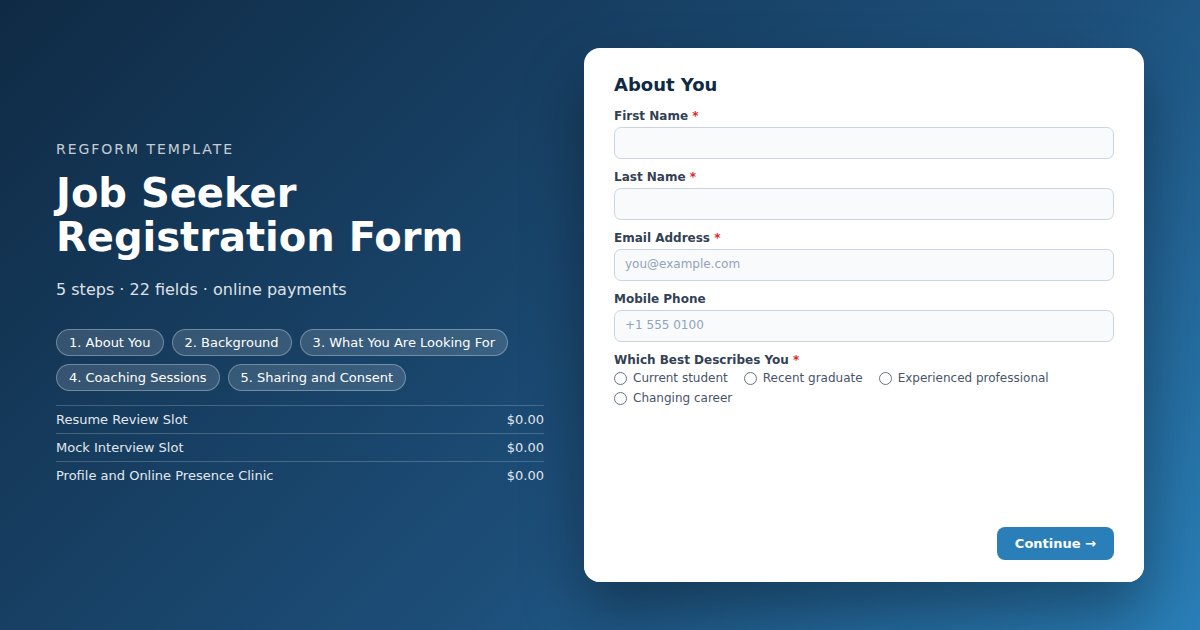
Short enough to finish in the queue outside. Branches by candidate type, mirrors the employer discipline list for matched reporting, and caps coaching slots with a waitlist.
Overview
Candidate registration at a career fair has one job: get as many relevant people into the room as possible, and know enough about them to tell your employers who came. Those two goals pull against each other, because every question that improves your reporting reduces the number of people who finish the form.
What this form does
It asks the minimum that is genuinely useful and branches rather than accumulating. A student is asked about their school and graduation year. Somebody with fifteen years of experience is asked about their field instead, and never sees a question about undergraduate study. Role interests and disciplines use the same lists as the employer form, which is what makes matched reporting possible in both directions.
Coaching slots for resume reviews and mock interviews are capped with a waitlist, because those are always oversubscribed and promising what your volunteers cannot deliver is worse than saying no. Resume sharing with employers is an explicit opt in rather than a default.
Who it is for
University and college career centres, workforce development organizations, and anyone running a job fair where employers are paying to meet candidates.
How to adapt it
Mirror the discipline list from your employer form, cap the coaching slots at what your volunteers can staff, and keep the whole thing under four minutes.
Form field list
About You
| Field | Type | Required | Notes |
|---|---|---|---|
| First Name | text |
Required | — |
| Last Name | text |
Required | — |
| Email Address | email |
Required | — |
| Mobile Phone | phone |
Optional | — |
| Which Best Describes You | radio |
Required | — |
Background
| Field | Type | Required | Notes |
|---|---|---|---|
| School or Institution | text |
Optional | — |
| Graduation Year | dropdown |
Optional | — |
| Field of Study | text |
Optional | — |
| Years of Professional Experience | dropdown |
Optional | — |
| Current or Most Recent Field | text |
Optional | — |
What You Are Looking For
| Field | Type | Required | Notes |
|---|---|---|---|
| Fields You Are Interested In | checkbox |
Required | — |
| Types of Role You Are Looking For | checkbox |
Required | — |
| Work Arrangement You Want | checkbox |
Optional | — |
| Where Would You Like to Work | text |
Optional | — |
Coaching Sessions
| Field | Type | Required | Notes |
|---|---|---|---|
| text_block | text_block |
Optional | — |
| Coaching and Support Sessions | item_select |
Optional | — |
| Accessibility or Support Needs | textarea |
Optional | — |
Sharing and Consent
| Field | Type | Required | Notes |
|---|---|---|---|
| Include me in the employer resume book | checkbox |
Optional | — |
| Resume Link | text |
Optional | — |
| Professional Profile Link | text |
Optional | — |
| Registration Terms and Data Use | legal |
Required | — |
| I consent to photography at the event | checkbox |
Optional | — |
How it's built in Regform
Setup checklist
- Keep it short enough to finish on a phone in a queue. Candidate registration is often completed on the way to the event or standing outside it. Every field you add past four minutes costs you registrations from exactly the candidates who were least certain about coming.
- Cap every coaching slot and leave the waitlist on. Resume reviews and mock interviews are the most oversubscribed things at any career fair. Capping them stops you promising what your volunteers cannot deliver, and the waitlist gives you a call list when somebody does not show.
- Make resume sharing an explicit opt in. Candidates should choose whether their details go into an employer resume book, and the form asks for the link only from those who opt in. Sharing candidate data by default is both a bad experience and a privacy problem.
- Match the disciplines to the employer form. Use the same discipline and role type lists on both sides. That is what lets you tell an employer how many candidates in their field registered, and tell a candidate which employers want their discipline.
- Branch on candidate type rather than asking everything. A student needs to be asked about their school and graduation year. Somebody with fifteen years of experience does not, and asking makes your event look like it was designed for undergraduates.
- Send the employer list in the confirmation. A candidate who arrives knowing which five employers they want to see has a far better day than one who walks in and reads a floor plan.
Before you publish
Register once as a student and once as an experienced candidate, and confirm the question sets differ. Fill a coaching slot to its cap and check it queues rather than blocks. Then time the whole thing on a phone.
Frequently asked questions
How long should candidate registration be?
Under four minutes on a phone. A large share of career fair registrations happen on the way to the event or in the queue outside it, and candidates who are uncertain about attending abandon long forms. Keeping it short is worth more than any individual question you might be tempted to add.
How do the coaching slots work?
They are zero priced items with headcount caps, so the form handles capacity without asking anyone for payment. Resume reviews and mock interviews are always the most oversubscribed part of a career fair, and a waitlist gives you people to call when somebody inevitably does not turn up for their slot.
Should resumes be shared with employers automatically?
It should be an explicit opt in, which is how this template is built. The resume link is only requested from candidates who agree to be included in the employer resume book. Sharing candidate details by default is both a poor experience and a privacy problem you do not want to create for a free event.
How does the form handle different kinds of candidate?
Candidate type drives the follow up questions. Students and recent graduates are asked about their school, graduation year and field of study. Experienced candidates and career changers are asked about years of experience and current field instead. Asking an experienced professional for their graduation year makes an event look like it was built for undergraduates.
How should this line up with the employer form?
Use exactly the same discipline and role type options on both the employer and candidate forms. That symmetry is what lets you tell an employer how many software engineering candidates registered, and tell a candidate which employers are hiring in their field. Mismatched lists make both reports impossible.
What should the confirmation email include?
Put the employer list, or a link to it, in the confirmation email. A candidate who arrives with five employers already marked has a materially better day than one who walks in cold and starts reading a floor plan, and it makes your employers busier, which is what they are paying for.
What else is worth asking?
Ask about work arrangement and location preference, both of which are short. Resist the urge to build a full candidate profile here. You are registering somebody for a free event, not processing a job application, and every extra question reduces the number of candidates in the room for your paying employers.
Browse related categories
Form type: Event Registration Forms
Use cases: Attendee Registration Career Fairs and Recruiting
Capabilities: Capacity Limits Conditional Logic Confirmation Email Waitlist
Ready to launch your job seeker registration form?
Tell us about your event and we'll set this template up with you — fields, logic, payments, and all.
- Multi-step forms & conditional logic
- Built-in checkout, payments & invoicing
- Event registration, reporting & team roles
Use This Template
We'll reach out and get you building.
Download template (JSON)Import the file with the builder's Import button in your own account.
Already have an account? Sign in