
Exhibitor and Sponsor Forms
Career Fair Employer Registration Form
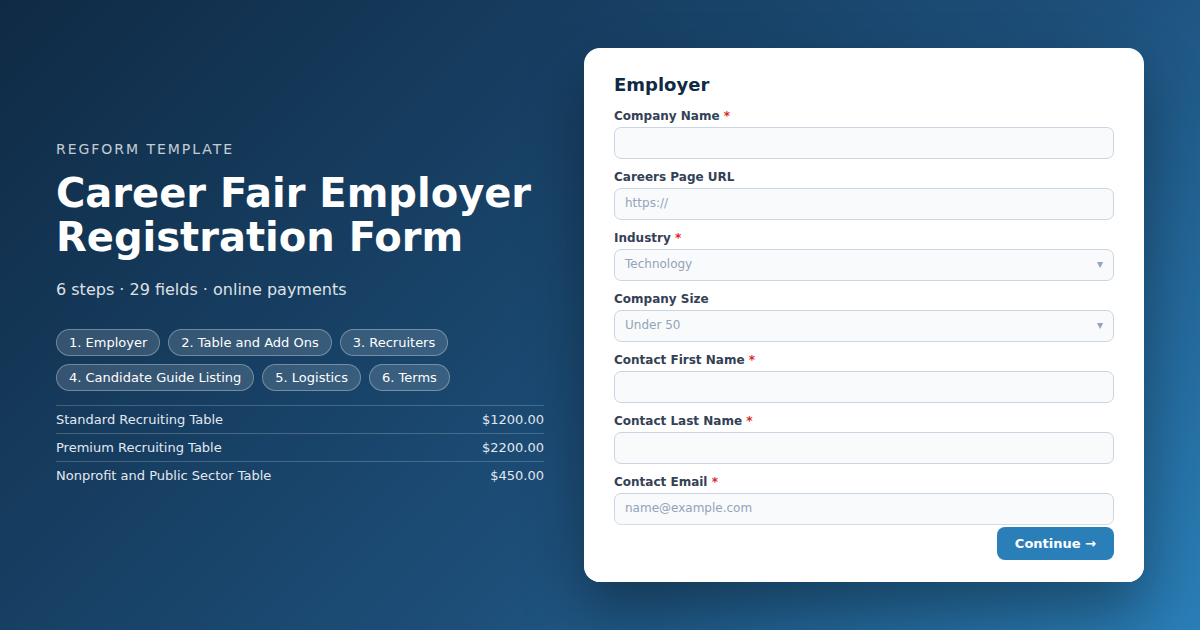
Sells the table and captures the directory listing in one pass. Capped tiers with gated nonprofit and startup rates, recruiter passes with individual details, and roles collected up front.
Overview
A career fair sells tables the way a trade show sells booths, but what makes it work is the information attached to each one. Candidates decide who to queue for based on what an employer is hiring for, where, and whether they can sponsor work authorization. If that information is collected late or not at all, your event guide publishes empty listings and candidates spend the day guessing.
What this form does
It sells the table and captures the directory listing in the same pass. Table tiers are capped to the room, with discounted rates for nonprofit, public sector and startup employers gated behind a light attestation. Recruiter passes are bought by quantity, and each one collects its own name and email so badges print correctly.
The roles, disciplines, locations and sponsorship position are all collected at registration, while the employer is still engaged, rather than chased in the fortnight before the event when nobody replies.
Who it is for
University and college career centres, industry associations running recruiting events, and organizers of standalone job fairs with a paid employer floor.
How to adapt it
Set the table caps from the room, price the discounted tiers to match your access mission, and prune the discipline list to the fields your candidates actually come from.
Form field list
Employer
| Field | Type | Required | Notes |
|---|---|---|---|
| Company Name | text |
Required | — |
| Careers Page URL | text |
Optional | — |
| Industry | dropdown |
Required | — |
| Company Size | dropdown |
Optional | — |
| Contact First Name | text |
Required | — |
| Contact Last Name | text |
Required | — |
| Contact Email | email |
Required | — |
| Contact Phone | phone |
Optional | — |
Table and Add Ons
| Field | Type | Required | Notes |
|---|---|---|---|
| Table Package | item_select |
Required | — |
| We confirm we are a registered nonprofit or a public sector employer | checkbox |
Optional | — |
| We confirm we currently employ fewer than 50 people | checkbox |
Optional | — |
| Add Ons | item_select |
Optional | — |
| Interview Room Requirements | textarea |
Optional | — |
Recruiters
| Field | Type | Required | Notes |
|---|---|---|---|
| text_block | text_block |
Optional | — |
| Additional Recruiter Passes | item_select |
Optional | — |
Candidate Guide Listing
| Field | Type | Required | Notes |
|---|---|---|---|
| text_block | text_block |
Optional | — |
| Company Description | textarea |
Required | — |
| Types of Role You Are Recruiting For | checkbox |
Required | — |
| Disciplines | checkbox |
Required | — |
| Locations Hiring | text |
Optional | — |
| Work Arrangement | checkbox |
Optional | — |
| Can You Sponsor Work Authorization | radio |
Required | — |
Logistics
| Field | Type | Required | Notes |
|---|---|---|---|
| Do You Need Power at Your Table | radio |
Optional | — |
| What Are You Powering | textarea |
Optional | — |
| Onsite Contact Name and Mobile | text |
Required | — |
| Materials You Are Shipping in Advance | textarea |
Optional | — |
Terms
| Field | Type | Required | Notes |
|---|---|---|---|
| Employer Participation Terms | legal |
Required | — |
| We are an equal opportunity employer and will comply with the event nondiscrimination policy | checkbox |
Required | — |
| We will handle candidate data collected at this event in line with the event privacy policy | checkbox |
Required | — |
How it's built in Regform
Setup checklist
- Cap tables at your floor plan, not your ambition. Career fairs are sold out events far more often than trade shows, and an oversold room means recruiters standing in a corridor. Set the cap from the room and let the form close cleanly.
- Price the discounted tiers and gate them. Nonprofit, public sector and startup rates exist to get employers into the room who could not otherwise afford it. The form asks for an attestation when one of those is selected, which is enough friction to stop casual misuse without demanding documentation.
- State the recruiter allowance in the table description. Every package includes some passes. Say how many, then let employers buy extras through the quantity control, with each extra pass collecting its own name and email for badge printing.
- Collect the roles at registration. What they are hiring for is what candidates search in your event guide, and chasing it later means publishing a directory with half the listings blank. Employers are most willing to write it while they are buying the table.
- Ask the sponsorship question plainly. Whether an employer can sponsor work authorization is the single most consequential filter for a large share of candidates, and burying it wastes everybody's time on the day.
- Turn on invoice billing. University career centres and large employers both buy through procurement, and a form that only takes cards will lose you the biggest recruiters in the room.
Before you publish
Buy each table tier and confirm the attestation appears for the discounted ones. Add three recruiter passes and check each opens its own questions. Fill a tier to its cap and confirm it closes. Then check the export produces a directory listing your event guide can publish without editing.
Frequently asked questions
How do I stop overselling tables?
Each table tier is a capped cart item, so the form stops selling a tier once the room is full. Career fairs sell out more reliably than trade shows do, and an oversold room means recruiters with nowhere to stand. Set caps from the actual floor plan rather than from what you hope to sell.
How do the discounted rates work?
Selecting a nonprofit, public sector or startup rate reveals an attestation the employer has to tick. That is deliberately light friction rather than a documentation requirement. It is enough to stop casual misuse of a discounted rate without asking a small charity to prove itself before they can register for your fair.
How are recruiter passes handled?
Each table package includes an allowance stated in its description, and extras are bought through a quantity control. Every additional pass opens its own questions for the recruiter's name, title and email, so badges print correctly and you know who is actually attending rather than just how many.
When should I collect what they are hiring for?
At registration, while the employer is still engaged. The roles, disciplines and locations they are hiring for are exactly what candidates search in your event guide, and chasing that information afterwards produces a directory with half the listings empty. This is the highest value thing on the form after the table itself.
Why ask about work authorization sponsorship?
Because it is the single most consequential filter for a large share of candidates, particularly international students at a university fair. Asking plainly at registration and publishing the answer in your guide saves candidates from queueing for an employer who was never able to hire them.
How do interview rooms and info sessions work?
They are separate capped add ons. Private interview rooms and information session slots are both finite, and both are things employers will ask for late and be disappointed about. Selling them as capped items alongside the table means the answer is clear at the point of purchase rather than by email a week out.
Can employers pay by purchase order?
Yes, and you should expect it. University career centres buy through institutional procurement and large employers through their own, frequently months after registering. The invoice integration routes those to a pending payment status with a payment link, while card payers complete at checkout as normal.
Browse related categories
Form type: Exhibitor and Sponsor Forms
Use cases: Exhibitor and Sponsor Management Career Fairs and Recruiting
Capabilities: Capacity Limits Conditional Logic Confirmation Email Payment Collection Repeating Sections Invoice and Purchase Orders
Ready to launch your career fair employer registration form?
Tell us about your event and we'll set this template up with you — fields, logic, payments, and all.
- Multi-step forms & conditional logic
- Built-in checkout, payments & invoicing
- Event registration, reporting & team roles
Use This Template
We'll reach out and get you building.
Download template (JSON)Import the file with the builder's Import button in your own account.
Already have an account? Sign in