
Booking and Appointment Forms
Interview Slot Booking Form
One candidate per slot, enforced by the form. Employer and role arrive prefilled from the link, candidates name what they want to discuss, and a waitlist fills the gaps when somebody drops.
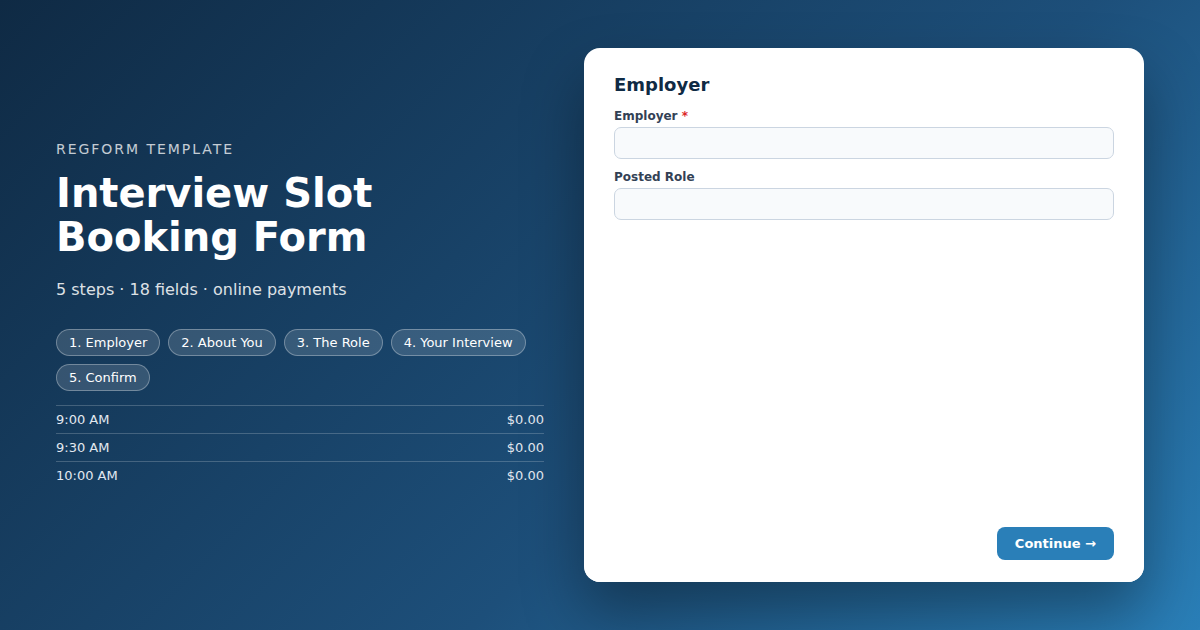
Overview
Interview scheduling at a career fair is usually a clipboard on a table. Candidates write their name against a time, somebody photographs it at the end of the day, two people have claimed the same slot, and one of them queued for twenty minutes to find that out.
What this form does
Each interview slot is an item capped at exactly one, so it vanishes the moment a candidate books it and nobody is offered a time that has gone. The employer and role arrive prefilled from the link, which means a candidate cannot accidentally book an interview with the wrong company from a list of eighty.
Candidates say which role they are interviewing for and what they want to discuss, so the employer is not starting cold. Virtual and in person interviews branch to different questions. And because slots fill fast and candidates do not always turn up, the waitlist gives an employer somebody to call when a gap opens on the morning.
Who it is for
University and college career centres running scheduled interviews alongside a fair, employers with private interview rooms, and any recruiting event where interview time is allocated in advance rather than by queue.
How to adapt it
Replace the slots with your real schedule, cap every one at a single candidate, and leave buffers so the day does not run late by lunchtime.
Form field list
Employer
| Field | Type | Required | Notes |
|---|---|---|---|
| Employer | text |
Required | — |
| Posted Role | text |
Optional | — |
About You
| Field | Type | Required | Notes |
|---|---|---|---|
| First Name | text |
Required | — |
| Last Name | text |
Required | — |
| Email Address | email |
Required | — |
| Mobile Phone | phone |
Required | — |
| Which Best Describes You | radio |
Optional | — |
The Role
| Field | Type | Required | Notes |
|---|---|---|---|
| Role You Want to Discuss | text |
Required | — |
| Resume Link | text |
Optional | — |
| Anything You Particularly Want to Cover | textarea |
Optional | — |
Your Interview
| Field | Type | Required | Notes |
|---|---|---|---|
| text_block | text_block |
Optional | — |
| Choose an Interview Time | item_select |
Required | — |
| Interview Format | radio |
Required | — |
| text_block | text_block |
Optional | — |
| Your Time Zone | dropdown |
Optional | — |
| Accessibility or Support Needs | textarea |
Optional | — |
Confirm
| Field | Type | Required | Notes |
|---|---|---|---|
| I will attend this interview, and will cancel in advance if I cannot so the slot can go to another candidate | checkbox |
Required | — |
| My details and resume link may be shared with this employer ahead of the interview | checkbox |
Required | — |
How it's built in Regform
Setup checklist
- One candidate per slot, always. Every slot item caps at one. That is what makes this work as a schedule rather than a signup sheet, and it is the setting that causes real damage if you get it wrong, because two candidates arriving for the same interview is a bad experience for everybody.
- Prefill the employer and the role. Give each employer their own link with the parameters filled in. A candidate who has to select an employer from a dropdown of eighty will occasionally pick the wrong one, and you will not find out until the interview starts.
- Build in buffers. Twenty minute interviews in twenty minute slots run late by the third one. Either make the slots longer than the interviews or leave gaps in the item list.
- Leave the waitlist on. Interview slots are the most oversubscribed thing at any career fair and candidate no shows are common. The waitlist is how an employer fills a gap on the morning instead of sitting idle.
- Let candidates say what they are interviewing for. Employers recruiting for several roles need to know which one, and a candidate who names it gets a better interview.
- Set expectations in the confirmation. Where to go, who to ask for, what to bring, and how long it will run. A candidate who arrives at the wrong table loses their slot and their chance.
Before you publish
Book a slot and try to book it again, confirming it is gone. Open the form with employer prefill parameters and check they populate. Book a virtual interview and confirm the platform question appears. Then read the confirmation as a nervous candidate would.
Frequently asked questions
How do I guarantee one candidate per slot?
Every slot is an item capped at one, so it disappears the moment a candidate books it. This is the setting that matters most on the whole form, because two candidates turning up for the same interview slot is a bad experience for both of them and an embarrassment for the employer.
How do candidates find the right employer?
Give each employer their own link with the employer and role parameters already filled in. A candidate choosing from a dropdown of eighty employers will sometimes pick the wrong one, and nobody discovers that until an interview starts with the wrong company. Prefill removes the possibility entirely.
How much buffer should I leave between slots?
Make the slots longer than the interviews, or leave gaps between them in the item list. Twenty minute interviews scheduled into twenty minute slots are running late by the third one and half an hour behind by lunch, which means the last candidates of the day get a rushed interview through no fault of their own.
What happens when a schedule fills up?
They queue on the waitlist. Interview slots are the most oversubscribed thing at any career fair, and candidate no shows are common enough that the list gets used. It means an employer can fill a gap on the morning rather than sitting at an empty table during a slot somebody wanted.
Can candidates say which role they want to discuss?
Yes, through a field where they name the role they are interviewing for. Employers recruiting across several positions need to know which one before the candidate sits down, and a candidate who has named it tends to get a better interview because the conversation starts in the right place.
Does this handle virtual interviews?
Choosing a virtual interview reveals a platform and time zone question, while in person reveals the location details instead. Hybrid career fairs are increasingly common and a candidate who assumed video and turned up expecting a link has lost their slot, which is the kind of failure that is entirely preventable at booking.
What should the confirmation tell candidates?
Where to go, who to ask for, how long the interview will run and what to bring. Candidates booking an interview are usually nervous, and a confirmation that answers those four questions removes most of what they would otherwise worry about or email you to ask.
Browse related categories
Form type: Booking and Appointment Forms
Use cases: Career Fairs and Recruiting Meetings and Appointments
Capabilities: Capacity Limits Conditional Logic Confirmation Email Waitlist
Ready to launch your interview slot booking form?
Tell us about your event and we'll set this template up with you — fields, logic, payments, and all.
- Multi-step forms & conditional logic
- Built-in checkout, payments & invoicing
- Event registration, reporting & team roles
Use This Template
We'll reach out and get you building.
Download template (JSON)Import the file with the builder's Import button in your own account.
Already have an account? Sign in