
Event Registration Forms
Event Waitlist Form
For when registration has closed. Captures which ticket type somebody wanted, how flexible they are, and how urgent their situation is, so released places go out in an order that converts.
Overview
When an event sells out, most organizers put up a message saying so and lose everybody who arrives afterwards. Some of those people would have taken a place the following week when a cancellation came in. Some would have come to the virtual version. Nearly all of them would have come next year. None of that is knowable once they have closed the tab.
What this form does
It captures the demand that arrives after the doors close. There is no checkout and nothing to pay, because the tickets are gone. What it collects instead is which ticket type somebody wanted, how flexible they are about alternatives, and how urgent their situation is, which together let you offer released places in an order that converts rather than alphabetically.
The two questions that do the most work are whether travel is already booked and the date after which attending becomes impossible. Somebody with flights booked will take a released place within the hour. Somebody who cannot travel after the fifteenth should be offered a place before the fourteenth or not at all.
Who it is for
Any organizer whose event sells out, and particularly association and training teams running a programme that repeats, where this year's waitlist is next year's early demand.
How to adapt it
List your real ticket types, choose your release mode, and keep the offer window short.
Form field list
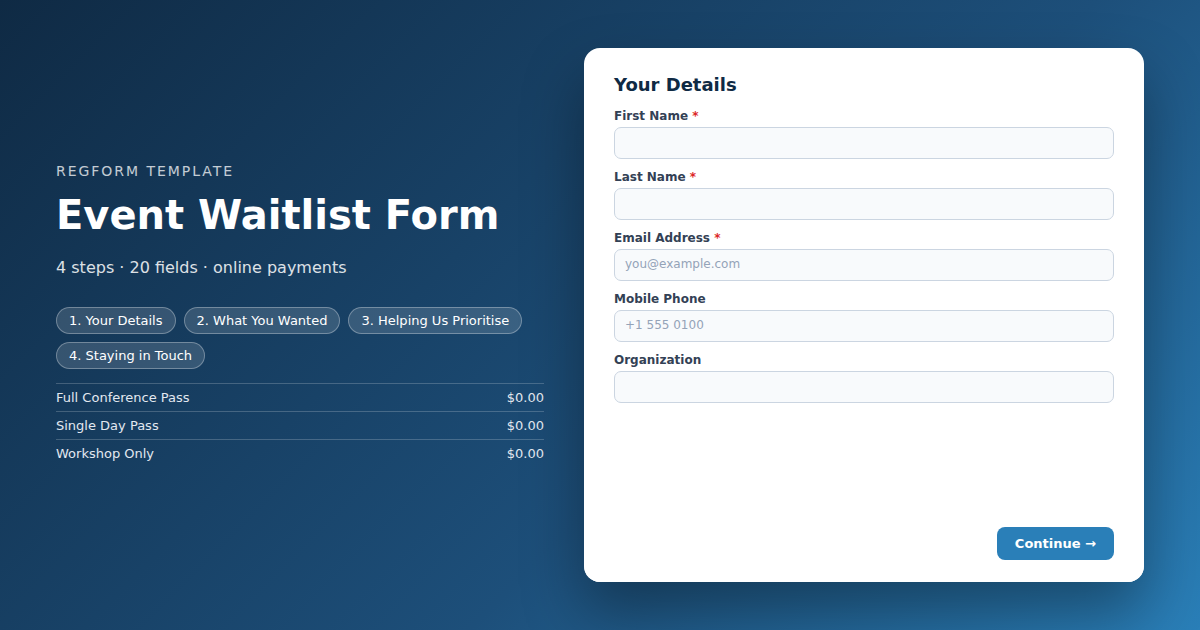
Your Details
| Field | Type | Required | Notes |
|---|---|---|---|
| text_block | text_block |
Optional | — |
| First Name | text |
Required | — |
| Last Name | text |
Required | — |
| Email Address | email |
Required | — |
| Mobile Phone | phone |
Optional | — |
| Organization | text |
Optional | — |
What You Wanted
| Field | Type | Required | Notes |
|---|---|---|---|
| Which Pass Did You Want | item_select |
Required | — |
| How Many Places Do You Need | number |
Optional | — |
| Would You Consider Any of These | checkbox |
Optional | — |
Helping Us Prioritise
| Field | Type | Required | Notes |
|---|---|---|---|
| text_block | text_block |
Optional | — |
| Are You a Member | radio |
Optional | — |
| Member ID | text |
Optional | — |
| Have You Already Booked Travel or Accommodation | radio |
Optional | — |
| What Is Already Booked | textarea |
Optional | — |
| Latest Date a Place Would Still Work | date |
Optional | — |
| Have You Attended Before | radio |
Optional | — |
Staying in Touch
| Field | Type | Required | Notes |
|---|---|---|---|
| How Should We Reach You | checkbox |
Optional | — |
| Anything Else We Should Know | textarea |
Optional | — |
| Waitlist Terms | legal |
Required | — |
| Tell me when registration opens for future events | checkbox |
Optional | — |
How it's built in Regform
Setup checklist
- Put this behind the sold out message, not instead of it. Say plainly that registration is closed and that this is a waitlist, then link to it. A form that looks like registration but turns out to be a waitlist feels like a bait and switch.
- List the ticket types as they were sold. Knowing that forty people wanted the two day pass and six wanted the workshop add on is what tells you where the real demand was, and that is the whole point of collecting this.
- Ask about flexibility. A large share of people on a waitlist would take a different day, the virtual option or next year's event. Those answers turn a list of disappointed people into three separate opportunities.
- Capture the deadline. Somebody who cannot travel after a certain date is worth offering a place to early, and somebody whose travel is already booked is the most likely to accept. Both questions help you offer places in an order that actually converts.
- Choose your release mode deliberately. First come first served rewards whoever refreshed fastest, a lottery is fairer for a genuinely oversubscribed event, and manual review lets you prioritise members or people who have travel committed.
- Set the offer window short. A released place held for three days while somebody ignores their email is a place that could have gone to the next person. Twenty four to forty eight hours is usually right.
Before you publish
Join the waitlist yourself and confirm you land in the queue rather than being blocked. Check that the confirmation sets the right expectation, which is that a place is not guaranteed. Then look at the review columns and ask whether they tell you enough to decide who gets the next opening.
Frequently asked questions
How is this different from a registration form?
Registration has closed and the tickets are gone, so this form has no checkout and nothing to pay for. It exists to capture who still wants in, in what order, and on what terms. The alternative most organizers fall back on is a dead page or an email address, both of which lose you the data entirely.
Why ask which ticket type they wanted?
Because the ticket types tell you where the demand actually was. Forty people wanting the two day pass and six wanting a workshop add on is a completely different signal from the reverse, and it is what tells you what to put on sale first next time. Without it you have a list of names and no insight.
How are released places allocated?
Three ways, and you should pick deliberately. First come first served rewards whoever happened to refresh fastest. A lottery is fairer when the event is genuinely oversubscribed. Manual review lets you prioritise members, people whose travel is already booked, or anybody else your organization has a reason to favour.
How long should I hold an offered place?
Short. Twenty four to forty eight hours is usually right. A place held for three days while somebody ignores their inbox is a place that could have gone to the next person on the list, and with an event approaching every day of delay makes it harder for the eventual recipient to arrange travel.
Why ask whether travel is already booked?
It is the single best predictor of who will accept. Somebody who has already booked flights and a hotel will take a released place immediately, while somebody who has not may have moved on. Asking means you can offer places in an order that actually converts rather than working down a list alphabetically.
Why ask about flexibility?
Because most of them will take something. A large share of a waitlist would accept a different day, a virtual place, or a spot at the next occurrence. Asking turns one list of disappointed people into three usable segments, and it costs the person filling it in about four seconds.
What should the confirmation email say?
Say clearly that joining the waitlist does not guarantee a place, and say how you will let them know. The most common complaint about event waitlists is not that somebody did not get in, it is that they were never told either way and held the date for nothing. Set the expectation in the confirmation.
Browse related categories
Form type: Event Registration Forms
Use cases: Attendee Registration
Capabilities: Capacity Limits Conditional Logic Confirmation Email Waitlist
Ready to launch your event waitlist form?
Tell us about your event and we'll set this template up with you — fields, logic, payments, and all.
- Multi-step forms & conditional logic
- Built-in checkout, payments & invoicing
- Event registration, reporting & team roles
Use This Template
We'll reach out and get you building.
Download template (JSON)Import the file with the builder's Import button in your own account.
Already have an account? Sign in