
In this article, we'll cover:
- What the November 13 nationwide ground stop actually did to event travel
- Why flight details collected at registration are wrong by the time you need them
- A travel data block that works, and when to ask for it
- The contingency decisions good attendee data actually unlocks
The Friday afternoon nobody had a list for
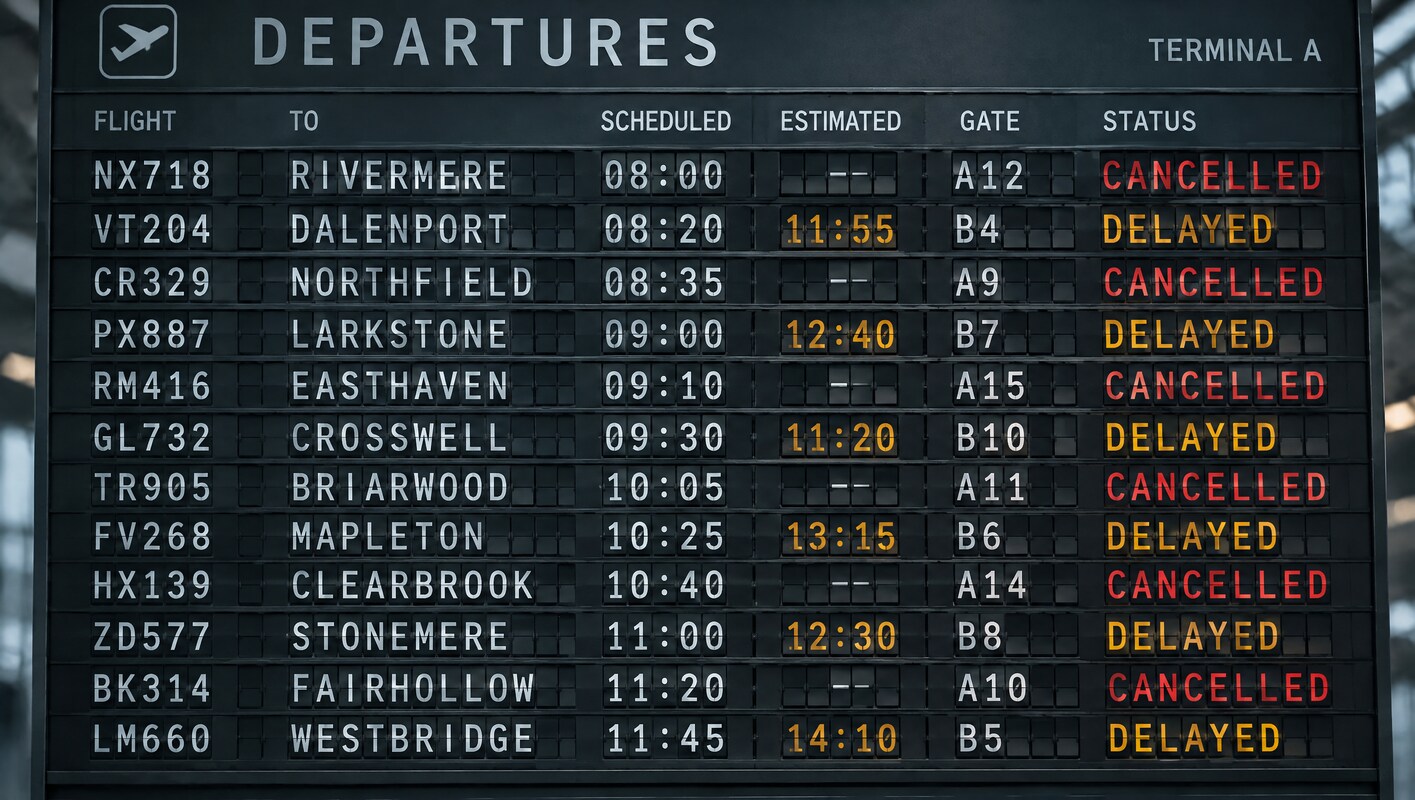
On Friday, November 13, the FAA ordered a rare nationwide ground stop. It took effect at 3:54 p.m. Eastern and was not lifted until 8:15 p.m., more than four hours later. A communication failure hit all 22 air route traffic control centers at once. By the time it was over, more than 10,000 flights were delayed and at least 4,000 canceled, affecting roughly 1.5 million passengers. Another 4,042 aircraft were already in the air headed for US airports when the order came down.
The cause was almost comically small relative to the damage. A contractor was replacing a copper line with fiber at a remote site in El Dorado, Arkansas. That triggered a fault in a recently replaced router in Amarillo, Texas, which began broadcasting and overloading routers at control centers across the country. No cyberattack. No weather. One router.
Then it got worse before it got better. Sunday brought 10,987 delays and 2,336 cancellations as airlines scrambled to get crews and aircraft back where they belonged. Operations only returned to something like normal on Monday morning. More than 11,500 flights were affected across three days.
If you had a conference starting this week, you spent that weekend trying to answer one question: which of my attendees are stuck, and where?
Most organizers could not answer it. Not because they are bad at their jobs, but because the data was never collected, or was collected at the one moment it was guaranteed to be useless.
Flight data has a shelf life, and registration is day one
Here's the pattern almost every corporate and association event follows.
An attendee registers in January. They book travel in March, once their manager signs off on the trip and the airfare looks reasonable. They change that booking in April when a client meeting moves. And when a router in Amarillo takes down the national airspace system, they rebook again, from the floor of a terminal, at 11 p.m. on a Friday.
Now ask yourself what a flight number captured at registration in January is actually worth in May. It is not just incomplete. It is worse than nothing, because it gives you a list you believe and a confidence you have not earned.
This is why most planners quietly drop the travel questions from their registration form, and they are right to. Those questions make the form longer, they hurt completion, and at the moment of registration the honest answer from most attendees is I don't know yet. Nobody wants to force a guess into a required field.
So the category has trained us into a bad binary. Either you ask too early and hold stale data, or you never ask and go in blind.
💡 Pro tip: If your current registration form has a "flight number" field that most attendees leave blank or fill with "TBD," that field is not collecting data. It is collecting friction. Pull it.
Registration is a moment. The relationship runs for months.
The actual fix is boring and it works: stop treating registration as the only time you get to ask a question.
The data you need during event week should be collected close to event week, from people who by then actually know the answer. That means a short travel block that lives outside the registration flow, asked later, with something that chases the people who have not answered.
A travel block worth collecting is four fields, not fourteen:
- Carrier and flight number for the inbound flight
- Arrival airport, because large metros have more than one
- Scheduled arrival time, local
- Mobile number for day-of text, if you do not already have it
That is it. Resist the urge to add hotel, seat preference and dietary restrictions to the same block. Short asks get answered. Long ones get ignored twice.
The chasing is the part most tools handle badly. One "please update your travel details" email goes out, some people respond, and everyone moves on. What works is a reminder that keeps going until the person answers or until you tell it to stop.
In Regform, that's how post-registration collection is built. You mark the travel fields as not required at signup but needed afterward, turn on follow-up reminders, and set a cutoff date. Registrants get the first nudge a set number of days after they register, then again on the cadence you choose, up to a maximum number of attempts, with everything stopping at your cutoff. Only the people with blanks get chased. Everyone else is left alone.
The detail that matters in a week like this one: you can change the cadence while it's running, and it applies to registrations already waiting. When a ground stop hits ten days before your event, you can tighten a seven-day reminder cycle to two days, and the people already in the queue pick up the faster schedule from their next reminder on.
One honest limit, because it should be said out loud: collecting flight numbers gives you a list, not alerts. Nothing in your registration platform is watching those flights. Somebody on your team still has to pull up the arrivals board. The list is what makes that possible in ten minutes instead of two days.
What the list is actually for
Collecting the data is half the job. Here's what you do with it.
Sort attendees by arrival window. You immediately see which sessions are exposed. If 60 percent of your room is landing Monday evening and the Monday evening bank out of Chicago goes down, your Tuesday 8 a.m. opening keynote has a problem you can see on Sunday instead of discovering at 7:55.
Find the people with no slack. Speakers, board members and award recipients arriving the morning of are your highest-risk itineraries. Four or five names, usually. Those are the ones you move to an earlier flight or an extra night in the hotel block before anything goes wrong.
Release what you are paying for. Ground transfers and room nights for people who cannot arrive are a real cost, and most contracts have a release window you can still hit if you know in time.
Know who to text first. During a disruption, the attendees who feel abandoned are the ones who hear nothing. A list sorted by arrival lets you send three specific messages to three groups instead of one generic apology to everybody.
✨ Expert Advice: Decide your contingency posture before you need it. What happens if 15 percent of the room cannot arrive? Which sessions get recorded, what the refund or credit policy is, whether day one shifts to hybrid. Make those calls in a planning meeting, not at midnight on a Saturday.
Final Takeaway
Transportation Secretary Duffy has requested $50 billion to modernize the air traffic control system, which is another way of saying the underlying infrastructure will be a work in progress for years. This is going to happen again, and weather will keep happening in between. The organizers who handle it well will not be the ones with the thickest contingency binder. They will be the ones who had current attendee data on event week, because they stopped asking every question on day one and started asking the right ones at the right time.
Frequently Asked Questions
When should I ask attendees for their flight details?
Close to the event, not at registration. Most corporate attendees book travel weeks or months after they register, so anything collected at signup is a guess. Ask once travel is likely booked, then send reminders until you have answers or you hit your cutoff.
Won't adding travel questions hurt my registration conversion?
Only if you put them in the registration flow. Collected afterward, they cost your signup form nothing, and response rates are better because the attendee actually knows the answer by then.
What should I do with flight data once I have it?
Sort by arrival window to see which sessions are exposed, flag speakers and VIPs with no slack in their itinerary, release unneeded ground transfers and room nights, and build your day-of communication groups.
Does collecting flight numbers mean I get delay alerts?
No. Your registration platform stores what attendees tell you. It is not monitoring flight status. The value is having a current, sortable list so your team can check an arrivals board quickly instead of rebuilding the list from scratch during a crisis.
How do I get attendees to actually fill it in?
Keep the ask to four fields, send it separately from registration, and use automated reminders that only chase the people who have not answered. One email asking people to update their details is not a system.
What if an attendee's flight changes after they tell me?
Expect it. Give attendees a link they can return to and update themselves rather than routing changes through your inbox, and set your reminder cutoff close enough to the event that the last answer you get is a recent one.
This article was written with the help of AI and edited by humans. Graphics were generated with the assistance of AI.